Services
Mobile App as a New Sales and Service Channel: What Business Can Get from Its Own Mobile Product
23.09.2026 12:00

Mobile App as a New Sales and Service Channel: What Business Can Get from Its Own Mobile Product

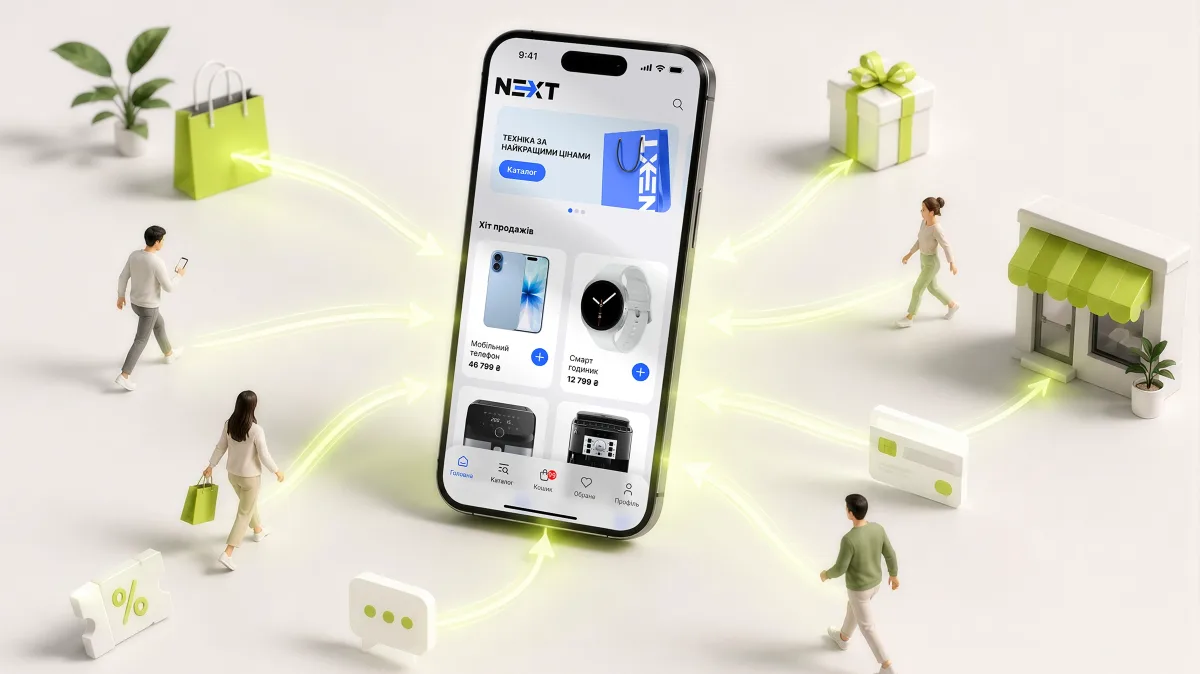
A smartphone has long ceased to be just a device for calls and communication. For the modern user it is a store, a bank branch, a map, a personal cabinet, a support service, an educational platform and a tool for interacting with favourite brands.

That is why for business a mobile application is gradually turning from an additional digital channel into a full-fledged tool for sales, communication, automation and customer retention.

However, it is important to understand: a mobile application should not be just a reduced copy of a website.

Its main advantage is the ability to create a permanent personal channel of interaction with the client.

The user installs the application once, authorises and gets access to the company’s services in just a few taps.

For business this means new opportunities: personalisation, push communication, repeat sales, loyalty programmes, mobile payments, automation and collection of data on user behaviour.

That is why professional mobile app development should be considered not as a separate IT project, but as part of the company’s digital strategy.

Why a website is no longer always enough

Imagine a regular restaurant customer.

To place a repeat order through the website, they need to open a browser, find the website, load the page, go through authorisation or re-enter data, find the required section and place the order.

A mobile application shortens this path.

The user opens the icon on the smartphone, sees a personal offer, selects a favourite item and places the order.

The same applies to online stores, sports clubs, educational services, loyalty programmes, financial products and corporate systems.

A mobile application allows a company to be literally “in the client’s pocket”.

The app as a channel for repeat sales

One of the main advantages of a mobile product is the ability to work not only on attracting a new client, but also on their return.

For this the following are used:

  • push notifications;
  • personal offers;
  • bonus programmes;
  • promo codes;
  • purchase history;
  • recommendations;
  • reminders;
  • personal content;
  • quick repeat order.

For example, if a person regularly buys a certain product, the application can remind them about a repeat purchase.
If the client has accumulated bonuses — notify them about it.
If a personal discount has appeared — show it directly on the smartphone.

Thus, a mobile product becomes not just a service tool, but part of the marketing system.

From a loyalty programme to a full-fledged ecosystem

A loyalty programme is one of the most common scenarios for using mobile applications.

But a modern application can do much more.

It can combine:
purchases + bonuses + personal offers + communication + payment + support.

The user does not need to switch between different channels.

This principle is well illustrated by the Rose Family case — development of a mobile application for delivery and loyalty.

Rose Family turned to Webstick Global with the task of creating a mobile product for organising delivery from restaurants and implementing a loyalty system. As a result, the mobile application became a digital channel of interaction between the client and the restaurant business.

This example shows an important thing: a mobile application can combine orders, service and marketing in one environment.

Push notifications: the ability to speak to the client directly

A website has an obvious limitation: the user must open it themselves.

A mobile application has push.

This means that a business can remind the client about:

  • an incomplete order;
  • a new promotion;
  • bonuses;
  • a personal offer;
  • a change in order status;
  • a new product;
  • a planned event;
  • important information.

But there is an important nuance.
Push should not turn into spam.

If a company sends the same messages to all users, the value of the channel quickly falls.

It is much more effective to segment the audience and work with personalised scenarios.

A mobile application can become a working tool for employees

Interestingly, mobile products are needed not only by clients.

For many companies a smartphone can be a tool for internal management.

For example, an employee can through the application:

  • receive tasks;
  • see the schedule;
  • change work status;
  • work with requests;
  • view indicators;
  • receive messages;
  • work with clients;
  • control processes.

Exactly this approach is implemented in the QB Tools case — development of a mobile application for the owner and employees.

Webstick Global developed a mobile product for the owner and employees of clients of the QB Tools SaaS service. The application was conceived as a tool for managing business processes, and not as an ordinary information service.

This is a completely different scenario for using mobile technologies.
Here the smartphone becomes a workplace.

Mobile application for the business owner

An especially interesting direction is mobile apps for owners and managers.

A manager does not always need access to the entire ERP or CRM.

A few key indicators may be enough for them:

  • sales;
  • profit;
  • number of orders;
  • active clients;
  • stock;
  • employee work;
  • financial indicators;
  • problematic operations.

Thus, a mobile application can turn into a business dashboard in the pocket.

The owner does not need to be in the office to understand what is happening in the company.

Mobile applications and SaaS

Another promising scenario is a mobile client for a SaaS platform.

If a company creates a SaaS product, a mobile application can significantly expand its value.

For example, a user can work with SaaS through a browser in the office, and from a smartphone:

  • check statuses;
  • receive messages;
  • confirm operations;
  • work with orders;
  • communicate with the team;
  • control indicators.

That is why a mobile app often becomes a logical next stage in the development of a SaaS product.

When does a business really need a mobile application?

Not every company needs its own application.

If a client interacts with the company once every few years, a mobile product may not have sufficient value.

But mobile application development becomes especially interesting when:

  • clients regularly buy goods;
  • there are repeat orders;
  • a loyalty programme is needed;
  • there is a personal cabinet;
  • users regularly use the service;
  • push notifications are needed;
  • there are complex business processes;
  • employees work mobile;
  • the company is developing SaaS;
  • automation is needed.

Flutter and cross-platform development

One of the important tasks when creating a mobile product is to determine the technology stack.

A company needs to decide whether to create separate applications for iOS and Android or use a cross-platform approach.

Flutter allows creating applications for different platforms using a shared code base. On the mobile development page of Webstick Global the company notes the use of Flutter for cross-platform solutions and highlights the advantages of this approach in terms of development time, support and cost.

This is especially interesting for a business that needs both iOS and Android at the same time, but does not want to create two independent development teams.

AI in mobile products

Another important direction is the integration of artificial intelligence.

AI can be used for:

  • personal recommendations;
  • smart search;
  • behaviour analysis;
  • automatic support;
  • text processing;
  • image recognition;
  • voice interaction;
  • forecasting;
  • automation of routine operations.

But the main mistake is to add AI only because it is a trend.

First you need to define the business problem.

For example:
“Users cannot quickly find the required product”
can be solved with AI search.

“Managers spend a lot of time on the same requests”
can be solved with an AI assistant.

“Clients do not understand which product suits them”
can be solved with a recommendation system.

Technology should be an answer to a problem, and not a problem for which they look for an application.

Personalisation becomes a competitive advantage

In the future users will expect an increasingly personalised experience from a mobile product.

An application can take into account:

  • purchase history;
  • interests;
  • order frequency;
  • favourite products;
  • location;
  • activity;
  • loyalty level.

This makes it possible to show not the same interface to everyone, but relevant content to each segment.

For business this opens opportunities to increase repeat sales and customer retention.

How much does it cost to create a mobile application?

The price of a mobile product does not depend on the number of screens.

The cost is influenced by:

  • complexity of business logic;
  • number of platforms;
  • UX/UI;
  • backend;
  • API;
  • integrations;
  • payments;
  • authorisation;
  • push;
  • admin panel;
  • AI functions;
  • analytics system;
  • security level;
  • further support.

Therefore the question “how much does one screen cost?” practically makes no sense.

It is more correct to first define the product, its functionality and architecture.

Why is a team with experience important?

A mobile application may look simple to the user, but be very complex technically.

Behind the “Order” button there may stand:
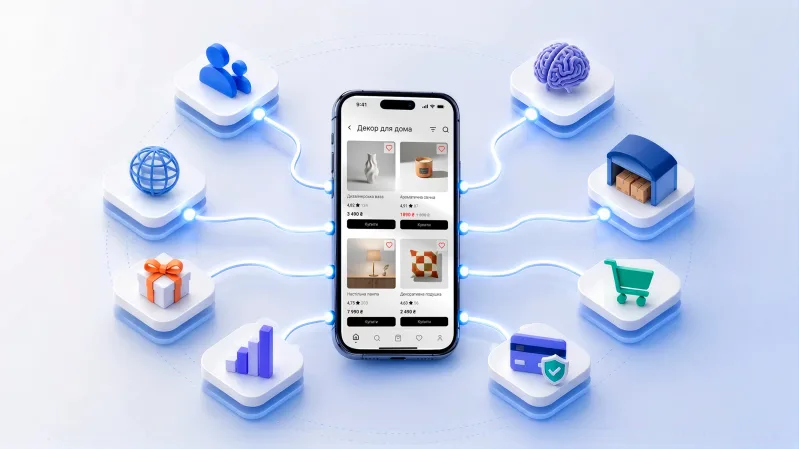
mobile frontend → API → backend → CRM → warehouse → payment system → logistics → push.

If at least one link works incorrectly, the user sees an error.

That is why professional mobile application development involves the work not only of a mobile developer, but also of designers, backend developers, QA, DevOps and integration specialists.

Webstick Global notes on its website experience with iOS, Android and cross-platform development, as well as more than 100 implemented Android projects.

Conclusion

A mobile application is not just another way to show information to the client.

It is an opportunity to create a permanent digital channel between the company and the user.

For one business it will be a mobile store.
For another — a loyalty programme.
For a third — an employee tool.
For a fourth — a mobile client of a SaaS platform.
And for a large company — part of a holistic digital ecosystem.

The main thing is to correctly define the product task even before the start of programming.

If a business is considering launching its own mobile product, the Webstick Global team can help with analysis, UX/UI, technology selection, iOS and Android development, backend, integrations, testing and launch.

You can learn more about mobile application development by Webstick Global on the service page.

Other news

From idea to App Store: how to properly develop a mobile app for business. Key stages, MVP, UX/UI, architecture, integrations and launch by Webstick G
From Idea to the App Store: How to Develop a Mobile App for Your Business the Right Way

A mobile application may seem like a simple product: a few screens, buttons, a catalog, an order form — and it’s ready. But behind the external simplicity of a successful app lies a complex system.

You need to think through business logic, user scenarios, UX/UI, the server side, API, database, authorization, security, integrations, payments, push notifications, analytics, and many other components.

That is why mobile app development should start long before writing the first line of code.

For a company, it is important to create not just a program that can be downloaded from the App Store or Google Play, but a product that people will want to use repeatedly.

On the mobile app development page of Webstick Global, you can learn about the team’s work direction and examples of implemented solutions.

The first question: why does a business need a mobile app?

The most common mistake is to start a project with a list of features.

“We need a catalog.”
“We need a personal account.”
“We need a loyalty program.”
“We need push notifications.”

But functionality itself is not a business strategy.

The first question should be:
What result should the application give the company?

For example:

  • increase repeat sales;
  • increase loyalty;
  • automate orders;
  • reduce the load on managers;
  • move customers from offline to a digital channel;
  • create a new sales channel;
  • automate internal processes;
  • provide customers with 24/7 access to the service.

When the business goal is defined, it becomes much easier to understand which features are truly needed.

Not every business needs the same app

Mobile products can be conditionally divided into several major categories.

E-commerce
An online store app may include:

  • catalog;
  • search;
  • filters;
  • product cards;
  • cart;
  • online payment;
  • order history;
  • personal offers;
  • loyalty program;
  • push notifications.

But modern e-commerce goes further. The app should help the user not just buy, but return to the brand.

Loyalty apps
Loyalty program apps help create constant contact with the customer.
The user can see bonuses, receive personal offers, accumulate levels, and use bonuses for future purchases.

Educational apps
In educational products, a mobile app can become the main way to take courses.
A good example is the Mastersolution Moodle Mobile App implemented by Webstick Global.
In the app, users can view and take available courses, use the “Learn Routes” structure, view scheduled events, and access certificates. The app is integrated with the Moodle server and Express.
This is an example of how a mobile product can turn a complex educational system into a clear user experience.

Stage 1. Research and concept formation

Before design, you need to understand:

  • who the user will be;
  • what scenarios they go through;
  • what problems exist today;
  • how competitors solve the problem;
  • which features are critical;
  • which integrations already exist;
  • what limitations the business has.

At this stage, the product concept is formed.
Sometimes research allows you to abandon some of the planned features.
And that is a good result.
It is better to create a compact product that solves one important problem than an expensive app with dozens of features that no one uses.

Stage 2. MVP does not mean a “bad product”

MVP is often misunderstood as the cheapest possible version of an app.
In reality, MVP is the minimum version of a product that allows you to test the key business hypothesis.

For example, if a company launches a loyalty program, the MVP may include:

  • authorization;
  • personal account;
  • bonus balance;
  • purchase history;
  • push notifications.

Complex recommendation algorithms or an advanced AI module can be added later.
This way the company reaches the market faster and gets real feedback from users.

Stage 3. UX/UI — the place where the future user experience is formed

After the requirements are formed, the team moves on to UX/UI.
First, the logic is designed:
what the user sees → what they click → where they go → what they get as a result.

Then the visual system is created.
Special attention should be paid to the mobile-first approach.
On a small screen there is no room for unnecessary elements.
Therefore, mobile UX should be:

  • simple;
  • fast;
  • predictable;
  • consistent;
  • accessible;
  • understandable without instructions.

A clear example is the DASK case — design and prototype of a mobile online store app.
For this project, Webstick Global developed the UX/UI design and prototype of the mobile application, including the catalog, cart, order placement, customer profile, loyalty system, and even a prototype of a furniture configurator.
This is a good example of how prototyping allows you to check complex scenarios in advance.

Stage 4. Architecture

Architecture determines how the product will work “under the hood.”
A mobile application may consist of:

  • mobile frontend;
  • backend;
  • API;
  • database;
  • authorization system;
  • external integrations;
  • payment module;
  • push service;
  • analytics system;
  • admin panel.

For a small product, the architecture can be relatively simple.
For a large platform, it must provide for scaling.
This is one of the reasons why it is important to involve an experienced team already at the planning stage.
An architecture error may be invisible at the start, but costly after tens of thousands of users appear.

Stage 5. Integrations

Integrations are often one of the most complex parts of mobile development.
Imagine a restaurant chain.
The app must show the current catalog, accept an order, transfer it to the POS, write off bonuses, process payment, and notify the user about the order status.

This is exactly how SpiceRoom works — a mobile app for a loyalty and pickup system.
In the project, Webstick Global implemented integration with the POS system of a coffee shop chain, synchronization of orders, bonuses, prices, and promotional offers. For online payment, Monobank, LiqPay, and WayForPay were integrated.
Such integrations turn a mobile application from a beautiful interface into a real business tool.

Stage 6. Backend and API

A mobile application should not store all business logic inside the smartphone.
For most business products, a server is required.

The backend is responsible for:

  • users;
  • products;
  • orders;
  • payments;
  • bonuses;
  • access rights;
  • business rules;
  • synchronization;
  • data storage;
  • integration with external systems.

The API becomes a kind of bridge between the mobile application and the server side.
Therefore, developing a mobile product without a well-thought-out backend architecture often leads to scaling problems.

Stage 7. Push notifications: not just messages, but a marketing channel

Push can be one of the most valuable tools of a mobile application.
But only if used correctly.

Bad scenario:
“We have a new promotion! Buy now!”

Good scenario:
“Your bonus balance is 350 UAH. 500 UAH left until the next level.”

Even better — give the user the ability to click on the message and immediately go to the desired product or category.
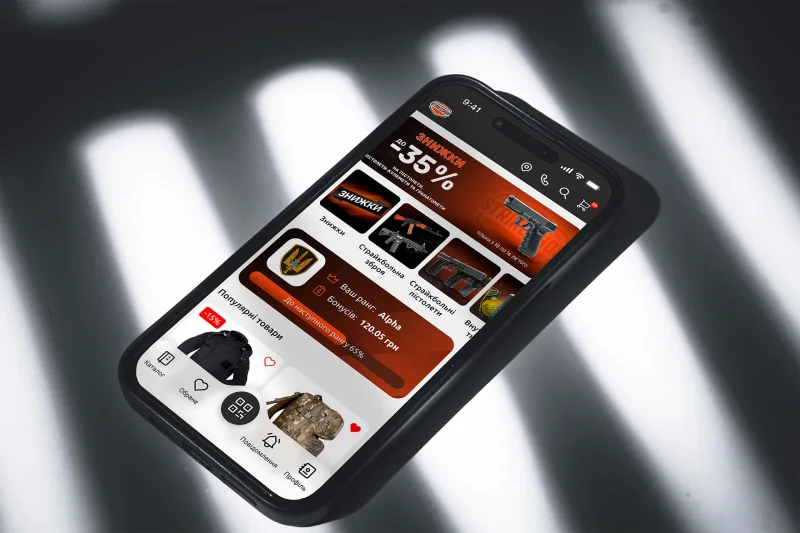
This approach is implemented in the StrikeShop mobile app case, where push notifications can lead the user directly to a product, category, or brand.

Stage 8. AI and personalization

In 2026, AI is increasingly becoming part of the mobile experience.
But a business does not necessarily need to create a complex AI agent.
Sometimes it is enough to have:

  • smart search;
  • personal recommendations;
  • automatic analysis;
  • content generation;
  • AI assistant;
  • request classification;
  • image analysis.

Google is actively developing on-device AI and tools that allow performing some AI functions directly on the device. This opens new opportunities for privacy, speed, and offline scenarios.
But a professional team must first determine whether AI is needed for a specific product and where it will create real value.

Stage 9. Testing

An application may work perfectly on a developer’s smartphone and poorly for a real user.
Therefore, testing should cover:

  • different versions of operating systems;
  • different screen sizes;
  • slow internet;
  • no internet;
  • different authorization scenarios;
  • payments;
  • push;
  • integrations;
  • load;
  • security;
  • recovery after errors.

It is especially important to test not only the positive scenario.
What happens if the payment fails?
What happens if the server is unavailable?
What happens if the user loses internet while placing an order?
These are the questions that distinguish professional development from creating a demonstration prototype.

Stage 10. Publication and further development

Launching in the App Store or Google Play is not the end of the project.
After the release, the most valuable stage begins.
The company receives real data:

  • how many people installed the app;
  • where they drop off;
  • which features they use;
  • where errors occur;
  • how often they return;
  • what purchases they make.

This data should influence the further roadmap.
A mobile product that does not develop gradually loses relevance.

What should the development team be like?

For a serious project, one programmer is not enough.
Depending on the scale, the following may be needed:

  • business analyst;
  • project manager;
  • UX/UI designer;
  • mobile developer;
  • backend developer;
  • QA engineer;
  • DevOps;
  • integration specialist;
  • product manager.

Webstick Global combines mobile app development with web development, custom software, design, and SaaS solution development. The company has experience implementing dozens of mobile projects.
On the mobile app development page of Webstick Global, you can view the service direction and the company’s approach.

What does the business get as a result?

A properly designed mobile application can become:
a new sales channel
It is easier for the customer to place a repeat order.

a loyalty tool
Bonuses, personal offers, and special conditions motivate them to return.

a communication channel
Push allows addressing the customer at the right moment.

part of CRM
Data about the customer and their behavior can be used for personalization.

an automation tool
The customer performs some operations independently without a manager.

part of a digital ecosystem
The app can work together with the website, CRM, ERP, POS, and other systems.

Conclusion

A good mobile application starts not with button design and not with the choice of programming language.
It starts with understanding the business.
You need to define the problem, audience, key scenario, architecture, integrations, development model, and success criteria.
After that, technologies become a tool for implementing the strategy.

If a company plans to create a mobile product, Webstick Global can take on the full cycle of work — from analysis and UX/UI to development, integrations, testing, and launch.
You can learn more about mobile app development at Webstick Global and discuss a future project directly with the company’s team.

Mobile Apps in 2026: Which Technologies and Trends Are Changing Business, and What to Consider During Development

Just a few years ago, a mobile app for business was often perceived as an additional channel of communication with the customer. Today, the situation has changed dramatically. For online stores, service companies, restaurants, educational platforms, SaaS products, loyalty programs, and many other businesses, a mobile app can be a full-fledged part of the digital product.

Users expect that the action they need will be completed quickly: find a product, place an order, pay for a service, receive a personalized offer, check bonuses, book a training session, complete an online course, or get a message from the company.

That is why mobile app development today is not just writing code for iOS and Android. It is comprehensive work on a digital product that must be connected to the company’s business processes, CRM, ERP, website, payment systems, loyalty programs, analytics, and other services.

The Webstick Global team develops mobile solutions for business and creates products focused not only on technological implementation but also on solving specific business tasks. On the mobile app development page of Webstick Global, you can learn about the company’s approach to creating mobile products.

A Mobile App Is No Longer a “Second Website”

One of the most important changes in the approach to mobile development is that a good app should no longer be simply a copy of a website.

A website answers the question: what can the user learn or do right now?
A mobile app should answer a different question:
why should the user return to it tomorrow?

This is where the value of mobile technologies comes into play. An app can use push notifications, biometric authentication, geolocation, the smartphone camera, local data storage, mobile payments, and other device capabilities.

For example, in the Biksico case — development of a mobile app for store management — the mobile product was focused not simply on viewing information, but on managing the processes of an online store.

This is a fundamentally different approach: the app becomes a business tool.

Trend #1. Artificial Intelligence Moves from Demonstration to Real Functionality

In 2026, it is no longer enough to simply write “AI-powered” in a product presentation.

The main question is different: what specific problem does artificial intelligence solve for the user?

Mobile apps can use AI for:

  • personalized recommendations;
  • analysis of user behavior;
  • automatic text processing;
  • natural language search;
  • creation of personalized content;
  • image recognition;
  • voice scenarios;
  • support automation;
  • prediction of customer needs;
  • data analysis;
  • intelligent navigation within the product.

A particularly interesting direction is on-device AI, when part of the AI functions are performed directly on the smartphone. Google is actively developing local AI capabilities on Android, including models and APIs for processing data without the mandatory transfer of information to a server. This can provide advantages in speed, privacy, and operation with an unstable internet connection.

But AI does not need to be added to an app simply for the sake of a trend.

For example, for an online store, smart search or recommendations can be useful. For an educational product — a personalized learning path. For SaaS — automatic analysis of metrics. For a service company — an AI assistant that shortens the user’s path to the required action.

It is the business scenario, not the technology itself, that should determine the product architecture.

Trend #2. AI Becomes Part of the Way Users Interact with the App

An even more interesting direction is the so-called agentic experiences.

The user is gradually moving from the model:
open the app → find the function → perform several actions
to the model:
set a task → get the result.

Google is already developing Android in the direction of an “intelligence system,” where AI agents can interact with app functions and perform multi-step scenarios. While a significant part of these capabilities is still at early stages, the direction is clear: the app must be ready not only for interaction with a person through a traditional UI, but also for new ways of interaction through AI.

For business, this means the need to think about APIs, structured data, access rights, and business logic already at the architecture stage.

Trend #3. Cross-Platform Development Becomes a Mature Solution

Previously, companies often had to choose between separate development for iOS and Android or the compromises of cross-platform technologies.

Today, the cross-platform approach has matured significantly.

Technologies such as Flutter make it possible to create apps for different platforms on a shared codebase while retaining the ability to build complex interfaces and integrate with platform-specific features.

This is especially relevant for:

  • e-commerce;
  • delivery services;
  • loyalty programs;
  • SaaS products;
  • educational platforms;
  • booking systems;
  • corporate apps;
  • marketplaces;
  • subscription services.

But cross-platform development should not be an end in itself. If a product requires specific work with hardware, complex graphics, or deep integration with a particular platform, the feasibility of the technology must be assessed separately.

The right stack is determined by business requirements, not by the popularity of a particular framework.

Trend #4. Personalization Becomes the Standard

Users are getting used to digital products that “know” their interests.

In a mobile app, personalization can work at different levels:

  • personal offers;
  • individual discounts;
  • product recommendations;
  • personalized content;
  • order history;
  • bonus balance;
  • individual messages;
  • personalized onboarding scenarios;
  • recommendations for the next action.

A clear example is the StrikeShop case of developing a mobile app with a multi-level loyalty system.

The app implements loyalty levels, user progress, push notifications, support chat, catalog work, and integration with the OneBox system. Thus, the mobile app became part of the business’s CRM and marketing ecosystem.

This is a good example of why modern mobile app development should start not with the question “what screens do we need?” but with the question:
what user behavior do we want to shape?

Trend #5. Integrations Become Critically Important

A modern mobile app rarely exists in isolation.

Behind it there may be:

  • CRM;
  • ERP;
  • CMS;
  • product database;
  • warehouse system;
  • payment service;
  • loyalty program;
  • analytics system;
  • delivery service;
  • POS;
  • authorization system;
  • push service;
  • external API.

That is why mobile development is increasingly turning into an integration task.

In the Abonement case — development of a SaaS system — Webstick Global created a system for managing memberships and visits that includes CRM functionality and a mobile app for visitors.

The app allows users to view memberships, pay for training sessions, see the remaining classes, view the schedule, book training sessions, and use an electronic club card.

Integrations with WayForPay, Monobank, and LiqPay for online payments were also implemented.

This is a telling example of how a mobile app can be just one part of a larger digital system.

Trend #6. Privacy-First Becomes Part of UX

The more data a mobile product uses, the more important the issues of confidentiality and security become.

Users want to understand:

  • what data the app collects;
  • why it is needed;
  • where it is stored;
  • who has access to it;
  • whether it is transferred to third-party services.

This is especially important for financial products, medical services, corporate systems, educational platforms, and apps that work with personal data.

Therefore, security must be built into the architecture, not added before release.

Trend #7. UX Becomes a Competitive Advantage

There are more and more functionally similar apps.

Therefore, the advantage often goes to the product that is simpler to use.

Good UX means that the user:

  • quickly understands the purpose of the app;
  • does not get lost in navigation;
  • sees a logical sequence of actions;
  • receives clear feedback;
  • does not waste extra clicks;
  • easily returns to an unfinished action.

That is why UX/UI design cannot be postponed “until later.” It must be developed simultaneously with the product’s business logic.

What Is Important to Consider Before Starting Development?

Before ordering the creation of a mobile app, a business should answer at least seven questions.

  1. Who is the user?
    It is necessary to clearly understand the audience.
  2. What problem does the product solve?
    The app must have concrete value.
  3. What is the key action?
    For example: buy, order, pay, book, learn, manage.
  4. Which systems need to be integrated?
    This can significantly affect the architecture.
  5. Are both iOS and Android needed?
    In most business products — yes, but the technological approach must be determined separately.
  6. What features are needed in the first version?
    It is necessary to separate the MVP from the features of the second stage.
  7. How will success be measured?
    The number of downloads is far from always the right metric. For business, repeat purchases, retention, average check, number of orders, or user activity may be more important.

How Webstick Global Helps Businesses Create Mobile Products

Professional mobile app development is work not only for programmers. A successful product requires a combination of business analysis, UX/UI, frontend and backend development, testing, DevOps, integrations, and ongoing support.

Webstick Global has experience creating mobile products for various business scenarios. On the mobile app development service page, information about the company’s approach and completed projects is presented.

The team works with mobile development, and among the technologies Webstick Global uses is Flutter, among others. The company also has experience in creating CRM, SaaS, web products, and integrated digital solutions.

Conclusion

A mobile app in 2026 is no longer just an icon on a smartphone screen.

It is a point of contact between the customer and the business, a sales tool, a communication channel, a CRM element, a loyalty tool, and sometimes even a full-fledged operating system for part of the business processes.

AI, personalization, cross-platform development, integrations, security, and high-quality UX will determine the competitiveness of mobile products in the coming years.

But the main trend remains unchanged: technology must work for business results.

If a company needs not a template app, but a well-thought-out digital product, the Webstick Global team can help go through the entire path — from idea formation and architecture to development, integration, testing, and launch.

From idea to the App Store: turnkey mobile app development
From idea to the App Store: what really happens during turnkey mobile app development

For many entrepreneurs, mobile app development looks roughly like this:

“We describe the idea. A team of programmers writes the code. A few months later the finished app appears on the App Store and Google Play.”

In practice, there are dozens of stages between the idea and the published product.

If even one of them is skipped, the project can run into serious problems.

You can end up with a beautiful interface that no one understands.

You can build a functional product that can't be scaled.

You can spend the budget on features that users don't need.

You can develop an app but fail to prepare it for real-world load.

That is why turnkey mobile app development is not just programming.

It is the creation of a full-fledged digital product by the professionals of the Webstick team mobile app development .

Step one: the idea has to become a clear objective

The phrase:

“We want an app like Uber”

or:

“We need a marketplace”

is not a technical specification.

At the start you need to understand:

  • who the user is;

  • what problem they are solving;

  • how they solve it now;

  • why the existing solutions aren't good enough;

  • what outcome the business needs to achieve.

For example, a “delivery app” can mean completely different products.

It could be:

  • a customer app;

  • a courier app;

  • a restaurant app;

  • an admin panel;

  • a routing system;

  • an order management system;

  • a settlement system.

So the team's first task is to turn the idea into a product structure.

Step two: research and shaping the concept

Before design and development, you need to understand how the app will work.

The following are created:

  • user scenarios;

  • user roles;

  • a feature map;

  • the navigation logic;

  • the data structure;

  • the core business processes.

For example, in a booking service you need to define:

  1. who creates the service;

  2. who searches for it;

  3. how a booking is made;

  4. who confirms the order;

  5. how payment is processed;

  6. what happens in the event of a cancellation;

  7. which notifications the user receives.

Each of these questions affects the product's architecture.

Step three: MVP

One of the hardest tasks is to understand what you should not build right away.

An entrepreneur often wants to include everything in the first version:

  • a loyalty program;

  • ratings;

  • a chat;

  • recommendations;

  • social features;

  • complex analytics;

  • dozens of integrations.

But the first version has to answer the main question:

“Does the core business hypothesis work?”

If the app solves one key problem, that may be enough for the first launch.

An MVP lets you:

  • test the idea faster;

  • get real feedback;

  • understand user behavior;

  • reduce risks;

  • avoid investing right away in functionality no one needs.

Step four: UX

The user doesn't think about the backend.

They think:

“How can I do this faster?”

UX design is responsible for the logic of the interaction.

You need to understand:

  • where the user ends up after launching the app;

  • how they will find the feature they need;

  • which actions are the main ones;

  • where an error might occur;

  • which steps can be removed.

Good UX often means not adding features, but removing them.

The fewer unnecessary actions are required to reach the result, the higher the chance that the user will complete the scenario.

Step five: UI design

After the logic, the visual system is created.

The following are defined:

  • colors;

  • typography;

  • components;

  • buttons;

  • forms;

  • cards;

  • error states;

  • empty states;

  • loading screens;

  • animations.

It is important to understand: mobile app design is not just about beautiful images.

It has to account for:

  • screen size;

  • the specifics of different platforms;

  • ease of use with a finger;

  • accessibility;

  • contrast;

  • how quickly information is perceived.

Step six: architecture

This is the stage the user never sees.

But this is exactly where the foundation of the product is laid.

The architecture defines:

  • how the app communicates with the server;

  • where data is stored;

  • how authentication works;

  • how errors are handled;

  • how the system will scale;

  • how new features will be added.

Poor architecture may let you build the first version quickly.

But a year later, adding each new feature turns into a problem.

Good architecture allows the product to grow.

Step seven: backend

A mobile app is just an interface — for example, as in the app the RLS gas station app case study .

Behind it there is usually a large system.

The backend can be responsible for:

  • users;

  • orders;

  • payments;

  • catalogs;

  • roles;

  • subscriptions;

  • notifications;

  • analytics;

  • integrations.

For example, a user taps the “Place order” button.

On the screen, a single action takes place.

But internally the system has to:

  1. verify the user;

  2. check product availability;

  3. calculate the cost;

  4. create the order;

  5. initiate payment;

  6. send a notification;

  7. update the status;

  8. pass the information to other participants in the process.

That is why a mobile app cannot be considered separately from the backend system.

Step eight: integrations

A modern app rarely exists in isolation.

It may interact with:

  • payment systems;

  • CRM;

  • ERP;

  • maps;

  • analytics systems;

  • authentication services;

  • email platforms;

  • SMS providers;

  • external APIs;

  • devices.

Each integration adds requirements to the architecture and to testing.

Step nine: development

After the requirements, design, and architecture are prepared, coding begins.

But professional development is not a process where:

“The programmers disappear for three months and come back with a finished app.”

The work should happen in iterations.

A part of the functionality is built.

It is tested.

It is demonstrated to the client.

The team gets feedback.

After that, it moves on.

This helps avoid the situation where, a few months in, it turns out the product was built differently from what the business expected.

Step ten: testing

An app may work on one phone and fail to work correctly on another.

That is why the following are tested:

  • different screen sizes;

  • operating system versions;

  • authentication;

  • payments;

  • push notifications;

  • an unstable internet connection;

  • user errors;

  • password recovery;

  • performance;

  • security.

Testing should check not only the question:

“Does the feature work?”

but also:

“What happens if the user does something unexpected?”

Because real users always do something unexpected.

Step eleven: publishing on the App Store and Google Play

A finished app does not yet mean it is immediately available to millions of users.

You need to:

  • prepare release builds;

  • create developer accounts;

  • prepare descriptions;

  • upload screenshots;

  • configure age ratings;

  • prepare a privacy policy;

  • pass the platforms' review.

After publishing, the work doesn't end.

On the contrary — the most important stage begins.

What happens after launch?

After the release, you need to analyze:

  • the number of downloads;

  • user activity;

  • conversion;

  • drop-offs;

  • popular features;

  • bugs;

  • reviews.

The data shows how people actually use the product.

Sometimes a feature the team spent months on is barely used.

And a simple feature that was considered secondary becomes the main reason users come back.

That is why a mobile app is a living product.

Turnkey development: what it means in practice

When a company orders turnkey mobile app development, it gets more than just code.

The full process can include:

  • idea analysis;

  • business analysis;

  • design;

  • UX/UI design;

  • mobile frontend development;

  • backend;

  • API;

  • integrations;

  • testing;

  • DevOps;

  • publishing;

  • technical support;

  • further development.

It is precisely this comprehensive approach that makes it possible to create not just working apps, but digital products ready for real use and scaling.

Conclusion

The path from idea to the App Store or Google Play is far more complex than it seems at first glance.

A successful mobile app is the result of work by more than just programmers.

It is a combination of:

  • business analysis;

  • product strategy;

  • UX/UI;

  • mobile development;

  • backend;

  • testing;

  • infrastructure;

  • analytics.

At Webstick, we build turnkey mobile apps mobile app development  — from the very first idea and design through launch and the product's further development.

If you have a mobile app idea, you don't have to turn it into a huge technical specification straight away.

First you need to understand what problem the product solves, who it is being built for, and how it can be validated with real users as quickly as possible.

And only after that — build the technology that will help this idea become a full-fledged digital product.

From idea to the App Store: turnkey mobile app development
From idea to the App Store: what really happens during turnkey mobile app development

For many entrepreneurs, mobile app development looks roughly like this:

“We describe the idea. A team of programmers writes the code. A few months later the finished app appears on the App Store and Google Play.”

In practice, there are dozens of stages between the idea and the published product.

If even one of them is skipped, the project can run into serious problems.

You can end up with a beautiful interface that no one understands.

You can build a functional product that can't be scaled.

You can spend the budget on features that users don't need.

You can develop an app but fail to prepare it for real-world load.

That is why turnkey mobile app development is not just programming.

It is the creation of a full-fledged digital product by the professionals of the Webstick team mobile app development .

Step one: the idea has to become a clear objective

The phrase:

“We want an app like Uber”

or:

“We need a marketplace”

is not a technical specification.

At the start you need to understand:

  • who the user is;

  • what problem they are solving;

  • how they solve it now;

  • why the existing solutions aren't good enough;

  • what outcome the business needs to achieve.

For example, a “delivery app” can mean completely different products.

It could be:

  • a customer app;

  • a courier app;

  • a restaurant app;

  • an admin panel;

  • a routing system;

  • an order management system;

  • a settlement system.

So the team's first task is to turn the idea into a product structure.

Step two: research and shaping the concept

Before design and development, you need to understand how the app will work.

The following are created:

  • user scenarios;

  • user roles;

  • a feature map;

  • the navigation logic;

  • the data structure;

  • the core business processes.

For example, in a booking service you need to define:

  1. who creates the service;

  2. who searches for it;

  3. how a booking is made;

  4. who confirms the order;

  5. how payment is processed;

  6. what happens in the event of a cancellation;

  7. which notifications the user receives.

Each of these questions affects the product's architecture.

Step three: MVP

One of the hardest tasks is to understand what you should not build right away.

An entrepreneur often wants to include everything in the first version:

  • a loyalty program;

  • ratings;

  • a chat;

  • recommendations;

  • social features;

  • complex analytics;

  • dozens of integrations.

But the first version has to answer the main question:

“Does the core business hypothesis work?”

If the app solves one key problem, that may be enough for the first launch.

An MVP lets you:

  • test the idea faster;

  • get real feedback;

  • understand user behavior;

  • reduce risks;

  • avoid investing right away in functionality no one needs.

Step four: UX

The user doesn't think about the backend.

They think:

“How can I do this faster?”

UX design is responsible for the logic of the interaction.

You need to understand:

  • where the user ends up after launching the app;

  • how they will find the feature they need;

  • which actions are the main ones;

  • where an error might occur;

  • which steps can be removed.

Good UX often means not adding features, but removing them.

The fewer unnecessary actions are required to reach the result, the higher the chance that the user will complete the scenario.

Step five: UI design

After the logic, the visual system is created.

The following are defined:

  • colors;

  • typography;

  • components;

  • buttons;

  • forms;

  • cards;

  • error states;

  • empty states;

  • loading screens;

  • animations.

It is important to understand: mobile app design is not just about beautiful images.

It has to account for:

  • screen size;

  • the specifics of different platforms;

  • ease of use with a finger;

  • accessibility;

  • contrast;

  • how quickly information is perceived.

Step six: architecture

This is the stage the user never sees.

But this is exactly where the foundation of the product is laid.

The architecture defines:

  • how the app communicates with the server;

  • where data is stored;

  • how authentication works;

  • how errors are handled;

  • how the system will scale;

  • how new features will be added.

Poor architecture may let you build the first version quickly.

But a year later, adding each new feature turns into a problem.

Good architecture allows the product to grow.

Step seven: backend

A mobile app is just an interface — for example, as in the app the RLS gas station app case study .

Behind it there is usually a large system.

The backend can be responsible for:

  • users;

  • orders;

  • payments;

  • catalogs;

  • roles;

  • subscriptions;

  • notifications;

  • analytics;

  • integrations.

For example, a user taps the “Place order” button.

On the screen, a single action takes place.

But internally the system has to:

  1. verify the user;

  2. check product availability;

  3. calculate the cost;

  4. create the order;

  5. initiate payment;

  6. send a notification;

  7. update the status;

  8. pass the information to other participants in the process.

That is why a mobile app cannot be considered separately from the backend system.

Step eight: integrations

A modern app rarely exists in isolation.

It may interact with:

  • payment systems;

  • CRM;

  • ERP;

  • maps;

  • analytics systems;

  • authentication services;

  • email platforms;

  • SMS providers;

  • external APIs;

  • devices.

Each integration adds requirements to the architecture and to testing.

Step nine: development

After the requirements, design, and architecture are prepared, coding begins.

But professional development is not a process where:

“The programmers disappear for three months and come back with a finished app.”

The work should happen in iterations.

A part of the functionality is built.

It is tested.

It is demonstrated to the client.

The team gets feedback.

After that, it moves on.

This helps avoid the situation where, a few months in, it turns out the product was built differently from what the business expected.

Step ten: testing

An app may work on one phone and fail to work correctly on another.

That is why the following are tested:

  • different screen sizes;

  • operating system versions;

  • authentication;

  • payments;

  • push notifications;

  • an unstable internet connection;

  • user errors;

  • password recovery;

  • performance;

  • security.

Testing should check not only the question:

“Does the feature work?”

but also:

“What happens if the user does something unexpected?”

Because real users always do something unexpected.

Step eleven: publishing on the App Store and Google Play

A finished app does not yet mean it is immediately available to millions of users.

You need to:

  • prepare release builds;

  • create developer accounts;

  • prepare descriptions;

  • upload screenshots;

  • configure age ratings;

  • prepare a privacy policy;

  • pass the platforms' review.

After publishing, the work doesn't end.

On the contrary — the most important stage begins.

What happens after launch?

After the release, you need to analyze:

  • the number of downloads;

  • user activity;

  • conversion;

  • drop-offs;

  • popular features;

  • bugs;

  • reviews.

The data shows how people actually use the product.

Sometimes a feature the team spent months on is barely used.

And a simple feature that was considered secondary becomes the main reason users come back.

That is why a mobile app is a living product.

Turnkey development: what it means in practice

When a company orders turnkey mobile app development, it gets more than just code.

The full process can include:

  • idea analysis;

  • business analysis;

  • design;

  • UX/UI design;

  • mobile frontend development;

  • backend;

  • API;

  • integrations;

  • testing;

  • DevOps;

  • publishing;

  • technical support;

  • further development.

It is precisely this comprehensive approach that makes it possible to create not just working apps, but digital products ready for real use and scaling.

Conclusion

The path from idea to the App Store or Google Play is far more complex than it seems at first glance.

A successful mobile app is the result of work by more than just programmers.

It is a combination of:

  • business analysis;

  • product strategy;

  • UX/UI;

  • mobile development;

  • backend;

  • testing;

  • infrastructure;

  • analytics.

At Webstick, we build turnkey mobile apps mobile app development  — from the very first idea and design through launch and the product's further development.

If you have a mobile app idea, you don't have to turn it into a huge technical specification straight away.

First you need to understand what problem the product solves, who it is being built for, and how it can be validated with real users as quickly as possible.

And only after that — build the technology that will help this idea become a full-fledged digital product.

Mobile Apps in 2026: Which Technologies and Trends Are Changing Business, and What to Consider During Development

Just a few years ago, a mobile app for business was often perceived as an additional channel of communication with the customer. Today, the situation has changed dramatically. For online stores, service companies, restaurants, educational platforms, SaaS products, loyalty programs, and many other businesses, a mobile app can be a full-fledged part of the digital product.

Users expect that the action they need will be completed quickly: find a product, place an order, pay for a service, receive a personalized offer, check bonuses, book a training session, complete an online course, or get a message from the company.

That is why mobile app development today is not just writing code for iOS and Android. It is comprehensive work on a digital product that must be connected to the company’s business processes, CRM, ERP, website, payment systems, loyalty programs, analytics, and other services.

The Webstick Global team develops mobile solutions for business and creates products focused not only on technological implementation but also on solving specific business tasks. On the mobile app development page of Webstick Global, you can learn about the company’s approach to creating mobile products.

A Mobile App Is No Longer a “Second Website”

One of the most important changes in the approach to mobile development is that a good app should no longer be simply a copy of a website.

A website answers the question: what can the user learn or do right now?
A mobile app should answer a different question:
why should the user return to it tomorrow?

This is where the value of mobile technologies comes into play. An app can use push notifications, biometric authentication, geolocation, the smartphone camera, local data storage, mobile payments, and other device capabilities.

For example, in the Biksico case — development of a mobile app for store management — the mobile product was focused not simply on viewing information, but on managing the processes of an online store.

This is a fundamentally different approach: the app becomes a business tool.

Trend #1. Artificial Intelligence Moves from Demonstration to Real Functionality

In 2026, it is no longer enough to simply write “AI-powered” in a product presentation.

The main question is different: what specific problem does artificial intelligence solve for the user?

Mobile apps can use AI for:

  • personalized recommendations;
  • analysis of user behavior;
  • automatic text processing;
  • natural language search;
  • creation of personalized content;
  • image recognition;
  • voice scenarios;
  • support automation;
  • prediction of customer needs;
  • data analysis;
  • intelligent navigation within the product.

A particularly interesting direction is on-device AI, when part of the AI functions are performed directly on the smartphone. Google is actively developing local AI capabilities on Android, including models and APIs for processing data without the mandatory transfer of information to a server. This can provide advantages in speed, privacy, and operation with an unstable internet connection.

But AI does not need to be added to an app simply for the sake of a trend.

For example, for an online store, smart search or recommendations can be useful. For an educational product — a personalized learning path. For SaaS — automatic analysis of metrics. For a service company — an AI assistant that shortens the user’s path to the required action.

It is the business scenario, not the technology itself, that should determine the product architecture.

Trend #2. AI Becomes Part of the Way Users Interact with the App

An even more interesting direction is the so-called agentic experiences.

The user is gradually moving from the model:
open the app → find the function → perform several actions
to the model:
set a task → get the result.

Google is already developing Android in the direction of an “intelligence system,” where AI agents can interact with app functions and perform multi-step scenarios. While a significant part of these capabilities is still at early stages, the direction is clear: the app must be ready not only for interaction with a person through a traditional UI, but also for new ways of interaction through AI.

For business, this means the need to think about APIs, structured data, access rights, and business logic already at the architecture stage.

Trend #3. Cross-Platform Development Becomes a Mature Solution

Previously, companies often had to choose between separate development for iOS and Android or the compromises of cross-platform technologies.

Today, the cross-platform approach has matured significantly.

Technologies such as Flutter make it possible to create apps for different platforms on a shared codebase while retaining the ability to build complex interfaces and integrate with platform-specific features.

This is especially relevant for:

  • e-commerce;
  • delivery services;
  • loyalty programs;
  • SaaS products;
  • educational platforms;
  • booking systems;
  • corporate apps;
  • marketplaces;
  • subscription services.

But cross-platform development should not be an end in itself. If a product requires specific work with hardware, complex graphics, or deep integration with a particular platform, the feasibility of the technology must be assessed separately.

The right stack is determined by business requirements, not by the popularity of a particular framework.

Trend #4. Personalization Becomes the Standard

Users are getting used to digital products that “know” their interests.

In a mobile app, personalization can work at different levels:

  • personal offers;
  • individual discounts;
  • product recommendations;
  • personalized content;
  • order history;
  • bonus balance;
  • individual messages;
  • personalized onboarding scenarios;
  • recommendations for the next action.

A clear example is the StrikeShop case of developing a mobile app with a multi-level loyalty system.

The app implements loyalty levels, user progress, push notifications, support chat, catalog work, and integration with the OneBox system. Thus, the mobile app became part of the business’s CRM and marketing ecosystem.

This is a good example of why modern mobile app development should start not with the question “what screens do we need?” but with the question:
what user behavior do we want to shape?

Trend #5. Integrations Become Critically Important

A modern mobile app rarely exists in isolation.

Behind it there may be:

  • CRM;
  • ERP;
  • CMS;
  • product database;
  • warehouse system;
  • payment service;
  • loyalty program;
  • analytics system;
  • delivery service;
  • POS;
  • authorization system;
  • push service;
  • external API.

That is why mobile development is increasingly turning into an integration task.

In the Abonement case — development of a SaaS system — Webstick Global created a system for managing memberships and visits that includes CRM functionality and a mobile app for visitors.

The app allows users to view memberships, pay for training sessions, see the remaining classes, view the schedule, book training sessions, and use an electronic club card.

Integrations with WayForPay, Monobank, and LiqPay for online payments were also implemented.

This is a telling example of how a mobile app can be just one part of a larger digital system.

Trend #6. Privacy-First Becomes Part of UX

The more data a mobile product uses, the more important the issues of confidentiality and security become.

Users want to understand:

  • what data the app collects;
  • why it is needed;
  • where it is stored;
  • who has access to it;
  • whether it is transferred to third-party services.

This is especially important for financial products, medical services, corporate systems, educational platforms, and apps that work with personal data.

Therefore, security must be built into the architecture, not added before release.

Trend #7. UX Becomes a Competitive Advantage

There are more and more functionally similar apps.

Therefore, the advantage often goes to the product that is simpler to use.

Good UX means that the user:

  • quickly understands the purpose of the app;
  • does not get lost in navigation;
  • sees a logical sequence of actions;
  • receives clear feedback;
  • does not waste extra clicks;
  • easily returns to an unfinished action.

That is why UX/UI design cannot be postponed “until later.” It must be developed simultaneously with the product’s business logic.

What Is Important to Consider Before Starting Development?

Before ordering the creation of a mobile app, a business should answer at least seven questions.

  1. Who is the user?
    It is necessary to clearly understand the audience.
  2. What problem does the product solve?
    The app must have concrete value.
  3. What is the key action?
    For example: buy, order, pay, book, learn, manage.
  4. Which systems need to be integrated?
    This can significantly affect the architecture.
  5. Are both iOS and Android needed?
    In most business products — yes, but the technological approach must be determined separately.
  6. What features are needed in the first version?
    It is necessary to separate the MVP from the features of the second stage.
  7. How will success be measured?
    The number of downloads is far from always the right metric. For business, repeat purchases, retention, average check, number of orders, or user activity may be more important.

How Webstick Global Helps Businesses Create Mobile Products

Professional mobile app development is work not only for programmers. A successful product requires a combination of business analysis, UX/UI, frontend and backend development, testing, DevOps, integrations, and ongoing support.

Webstick Global has experience creating mobile products for various business scenarios. On the mobile app development service page, information about the company’s approach and completed projects is presented.

The team works with mobile development, and among the technologies Webstick Global uses is Flutter, among others. The company also has experience in creating CRM, SaaS, web products, and integrated digital solutions.

Conclusion

A mobile app in 2026 is no longer just an icon on a smartphone screen.

It is a point of contact between the customer and the business, a sales tool, a communication channel, a CRM element, a loyalty tool, and sometimes even a full-fledged operating system for part of the business processes.

AI, personalization, cross-platform development, integrations, security, and high-quality UX will determine the competitiveness of mobile products in the coming years.

But the main trend remains unchanged: technology must work for business results.

If a company needs not a template app, but a well-thought-out digital product, the Webstick Global team can help go through the entire path — from idea formation and architecture to development, integration, testing, and launch.

From idea to App Store: how to properly develop a mobile app for business. Key stages, MVP, UX/UI, architecture, integrations and launch by Webstick G
From Idea to the App Store: How to Develop a Mobile App for Your Business the Right Way

A mobile application may seem like a simple product: a few screens, buttons, a catalog, an order form — and it’s ready. But behind the external simplicity of a successful app lies a complex system.

You need to think through business logic, user scenarios, UX/UI, the server side, API, database, authorization, security, integrations, payments, push notifications, analytics, and many other components.

That is why mobile app development should start long before writing the first line of code.

For a company, it is important to create not just a program that can be downloaded from the App Store or Google Play, but a product that people will want to use repeatedly.

On the mobile app development page of Webstick Global, you can learn about the team’s work direction and examples of implemented solutions.

The first question: why does a business need a mobile app?

The most common mistake is to start a project with a list of features.

“We need a catalog.”
“We need a personal account.”
“We need a loyalty program.”
“We need push notifications.”

But functionality itself is not a business strategy.

The first question should be:
What result should the application give the company?

For example:

  • increase repeat sales;
  • increase loyalty;
  • automate orders;
  • reduce the load on managers;
  • move customers from offline to a digital channel;
  • create a new sales channel;
  • automate internal processes;
  • provide customers with 24/7 access to the service.

When the business goal is defined, it becomes much easier to understand which features are truly needed.

Not every business needs the same app

Mobile products can be conditionally divided into several major categories.

E-commerce
An online store app may include:

  • catalog;
  • search;
  • filters;
  • product cards;
  • cart;
  • online payment;
  • order history;
  • personal offers;
  • loyalty program;
  • push notifications.

But modern e-commerce goes further. The app should help the user not just buy, but return to the brand.

Loyalty apps
Loyalty program apps help create constant contact with the customer.
The user can see bonuses, receive personal offers, accumulate levels, and use bonuses for future purchases.

Educational apps
In educational products, a mobile app can become the main way to take courses.
A good example is the Mastersolution Moodle Mobile App implemented by Webstick Global.
In the app, users can view and take available courses, use the “Learn Routes” structure, view scheduled events, and access certificates. The app is integrated with the Moodle server and Express.
This is an example of how a mobile product can turn a complex educational system into a clear user experience.

Stage 1. Research and concept formation

Before design, you need to understand:

  • who the user will be;
  • what scenarios they go through;
  • what problems exist today;
  • how competitors solve the problem;
  • which features are critical;
  • which integrations already exist;
  • what limitations the business has.

At this stage, the product concept is formed.
Sometimes research allows you to abandon some of the planned features.
And that is a good result.
It is better to create a compact product that solves one important problem than an expensive app with dozens of features that no one uses.

Stage 2. MVP does not mean a “bad product”

MVP is often misunderstood as the cheapest possible version of an app.
In reality, MVP is the minimum version of a product that allows you to test the key business hypothesis.

For example, if a company launches a loyalty program, the MVP may include:

  • authorization;
  • personal account;
  • bonus balance;
  • purchase history;
  • push notifications.

Complex recommendation algorithms or an advanced AI module can be added later.
This way the company reaches the market faster and gets real feedback from users.

Stage 3. UX/UI — the place where the future user experience is formed

After the requirements are formed, the team moves on to UX/UI.
First, the logic is designed:
what the user sees → what they click → where they go → what they get as a result.

Then the visual system is created.
Special attention should be paid to the mobile-first approach.
On a small screen there is no room for unnecessary elements.
Therefore, mobile UX should be:

  • simple;
  • fast;
  • predictable;
  • consistent;
  • accessible;
  • understandable without instructions.

A clear example is the DASK case — design and prototype of a mobile online store app.
For this project, Webstick Global developed the UX/UI design and prototype of the mobile application, including the catalog, cart, order placement, customer profile, loyalty system, and even a prototype of a furniture configurator.
This is a good example of how prototyping allows you to check complex scenarios in advance.

Stage 4. Architecture

Architecture determines how the product will work “under the hood.”
A mobile application may consist of:

  • mobile frontend;
  • backend;
  • API;
  • database;
  • authorization system;
  • external integrations;
  • payment module;
  • push service;
  • analytics system;
  • admin panel.

For a small product, the architecture can be relatively simple.
For a large platform, it must provide for scaling.
This is one of the reasons why it is important to involve an experienced team already at the planning stage.
An architecture error may be invisible at the start, but costly after tens of thousands of users appear.

Stage 5. Integrations

Integrations are often one of the most complex parts of mobile development.
Imagine a restaurant chain.
The app must show the current catalog, accept an order, transfer it to the POS, write off bonuses, process payment, and notify the user about the order status.

This is exactly how SpiceRoom works — a mobile app for a loyalty and pickup system.
In the project, Webstick Global implemented integration with the POS system of a coffee shop chain, synchronization of orders, bonuses, prices, and promotional offers. For online payment, Monobank, LiqPay, and WayForPay were integrated.
Such integrations turn a mobile application from a beautiful interface into a real business tool.

Stage 6. Backend and API

A mobile application should not store all business logic inside the smartphone.
For most business products, a server is required.

The backend is responsible for:

  • users;
  • products;
  • orders;
  • payments;
  • bonuses;
  • access rights;
  • business rules;
  • synchronization;
  • data storage;
  • integration with external systems.

The API becomes a kind of bridge between the mobile application and the server side.
Therefore, developing a mobile product without a well-thought-out backend architecture often leads to scaling problems.

Stage 7. Push notifications: not just messages, but a marketing channel

Push can be one of the most valuable tools of a mobile application.
But only if used correctly.

Bad scenario:
“We have a new promotion! Buy now!”

Good scenario:
“Your bonus balance is 350 UAH. 500 UAH left until the next level.”

Even better — give the user the ability to click on the message and immediately go to the desired product or category.
This approach is implemented in the StrikeShop mobile app case, where push notifications can lead the user directly to a product, category, or brand.

Stage 8. AI and personalization

In 2026, AI is increasingly becoming part of the mobile experience.
But a business does not necessarily need to create a complex AI agent.
Sometimes it is enough to have:

  • smart search;
  • personal recommendations;
  • automatic analysis;
  • content generation;
  • AI assistant;
  • request classification;
  • image analysis.

Google is actively developing on-device AI and tools that allow performing some AI functions directly on the device. This opens new opportunities for privacy, speed, and offline scenarios.
But a professional team must first determine whether AI is needed for a specific product and where it will create real value.

Stage 9. Testing

An application may work perfectly on a developer’s smartphone and poorly for a real user.
Therefore, testing should cover:

  • different versions of operating systems;
  • different screen sizes;
  • slow internet;
  • no internet;
  • different authorization scenarios;
  • payments;
  • push;
  • integrations;
  • load;
  • security;
  • recovery after errors.

It is especially important to test not only the positive scenario.
What happens if the payment fails?
What happens if the server is unavailable?
What happens if the user loses internet while placing an order?
These are the questions that distinguish professional development from creating a demonstration prototype.

Stage 10. Publication and further development

Launching in the App Store or Google Play is not the end of the project.
After the release, the most valuable stage begins.
The company receives real data:

  • how many people installed the app;
  • where they drop off;
  • which features they use;
  • where errors occur;
  • how often they return;
  • what purchases they make.

This data should influence the further roadmap.
A mobile product that does not develop gradually loses relevance.

What should the development team be like?

For a serious project, one programmer is not enough.
Depending on the scale, the following may be needed:

  • business analyst;
  • project manager;
  • UX/UI designer;
  • mobile developer;
  • backend developer;
  • QA engineer;
  • DevOps;
  • integration specialist;
  • product manager.

Webstick Global combines mobile app development with web development, custom software, design, and SaaS solution development. The company has experience implementing dozens of mobile projects.
On the mobile app development page of Webstick Global, you can view the service direction and the company’s approach.

What does the business get as a result?

A properly designed mobile application can become:
a new sales channel
It is easier for the customer to place a repeat order.

a loyalty tool
Bonuses, personal offers, and special conditions motivate them to return.

a communication channel
Push allows addressing the customer at the right moment.

part of CRM
Data about the customer and their behavior can be used for personalization.

an automation tool
The customer performs some operations independently without a manager.

part of a digital ecosystem
The app can work together with the website, CRM, ERP, POS, and other systems.

Conclusion

A good mobile application starts not with button design and not with the choice of programming language.
It starts with understanding the business.
You need to define the problem, audience, key scenario, architecture, integrations, development model, and success criteria.
After that, technologies become a tool for implementing the strategy.

If a company plans to create a mobile product, Webstick Global can take on the full cycle of work — from analysis and UX/UI to development, integrations, testing, and launch.
You can learn more about mobile app development at Webstick Global and discuss a future project directly with the company’s team.

This site uses cookies to make your experience more comfortable. By continuing to browse the site, you agree to the use of cookies