Services
Website in 2026: What a Modern Web Product Should Be to Sell, Support the Brand and Be Ready for AI Search
20.09.2026 09:00

Website in 2026: What a Modern Web Product Should Be to Sell, Support the Brand and Be Ready for AI Search

Not so long ago, a company website could be described quite simply: a home page, information about the company, a list of services, contacts and a feedback form.

Today that is no longer enough.

A user comes to a website with a specific expectation. They want to quickly understand what the company offers, why this particular offer suits them, how much it costs, how to place an order or how to get the information they need.

At the same time, the website must work for the business: generate leads, sell, build trust, support SEO, collect analytics, integrate with CRM and other systems.

And in 2026 another important factor is added — artificial intelligence is changing the way people search for and interact with information.

Therefore, modern website development is no longer just creating a beautiful web page. It is creating a digital product.

Webstick Global develops websites, online stores, corporate web products, landing pages and web portals. You can learn more about the company’s approach on the website development page of Webstick Global.

A website is no longer just a “business card”

If a website exists only so that a potential client can see the logo, address and phone number, the business is using only a small part of its capabilities.

A modern website can simultaneously be:

  • a sales channel;
  • a source of leads;
  • a product presentation;
  • a catalog;
  • an online store;
  • a self-service platform;
  • an information center;
  • part of CRM;
  • a marketing tool;
  • an SEO asset;
  • an integration point with other digital systems.

Therefore, before starting development, it is worth defining:
what business function should the website perform?

The answer to this question will determine the structure, design, technologies and even the content model.

Trend #1. AI is changing search — and the website must be ready

Search is gradually moving from simple keyword entry to dialogue with AI systems.

A user may not search for:
“mobile app for an online store”.

They may ask:
“What technology will allow my online store to get its own mobile sales channel with a loyalty program?”

Therefore, a website must contain not only keywords, but structured, logical and meaningful information.

This means:

  • clear page structure;
  • understandable headings;
  • meaningful descriptions;
  • answers to real customer questions;
  • logical connections between pages;
  • structured data;
  • high-quality text content.

In other words, a website needs to be created not only for a search robot, but for systems that try to understand the meaning of the page.

Trend #2. AI becomes part of the web product itself

AI can be used not only for search.

In modern web products it can help:

  • recommend products;
  • automatically process requests;
  • answer customer inquiries;
  • analyze user behavior;
  • generate personalized content;
  • work with large data sets;
  • automate internal operations.

For example, in a SaaS product AI can become a user assistant.
In an online store — a recommendation system.
On a corporate website — an intelligent consultant.
In a B2B portal — an information search tool.

Therefore, when developing a website, it is already worth providing for the possibility of future AI expansion today.

Trend #3. Speed becomes part of the brand

A user does not think:
“The website uses a good frontend framework”.

They think:
“This website is fast” or “this website is slow”.

Speed affects:

  • conversion;
  • convenience;
  • SEO;
  • user behavior;
  • brand perception.

This is especially important for mobile traffic.

Therefore, professional website development must take into account:

  • image optimization;
  • caching;
  • JavaScript optimization;
  • proper font loading;
  • server-side optimization;
  • CDN;
  • lazy loading;
  • database optimization;
  • Core Web Vitals.

A website must be fast not only on a powerful developer laptop, but also on an ordinary smartphone with unstable mobile internet.

Trend #4. Design becomes more minimalist, but content becomes more important

Modern web design is gradually moving away from overloaded pages.

A user does not need to see twenty different elements at the same time.

They need answers to three questions:
What do you offer?
Why do I need it?
What should I do next?

Therefore, an effective website is built around the user scenario.

For example:
Problem → solution → advantages → evidence → cases → call to action.

This approach works especially well for B2B services and complex IT products.

Case: Yermolenko Art Foundation
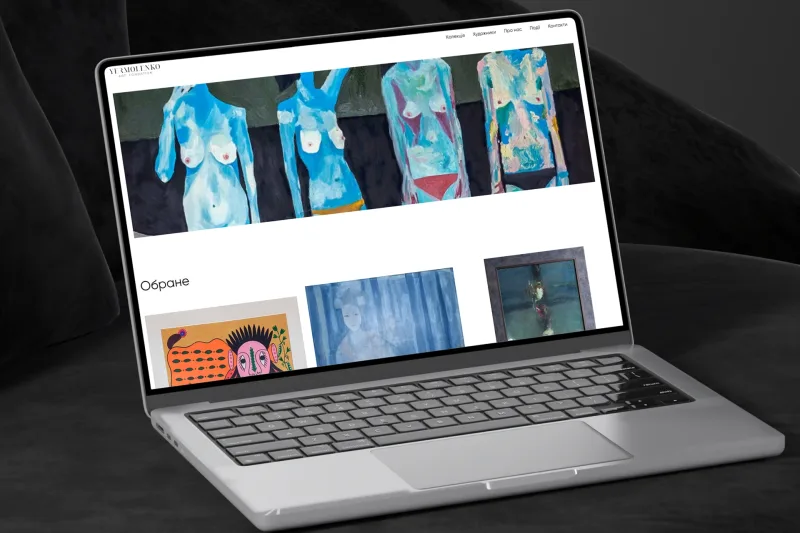
A good example of how a website can work not as a standard corporate resource, but as a full-fledged digital space is Yermolenko Art Foundation: a gallery website of Ukrainian art.

For the project, Webstick Global created a modern restrained design with a focus on artworks. The website received separate sections for the collection, artists, events, information about the foundation and contacts.

This is an example of an important principle:
website design should emphasize the product, not compete with it for the user’s attention.

For an art gallery this means a focus on the works.
For an online store — on the products.
For SaaS — on the product value.
For a corporate website — on trust and expertise.

Trend #5. A website must be part of the digital ecosystem

One of the most important trends in web development is the rejection of isolated websites.

A modern business may have:
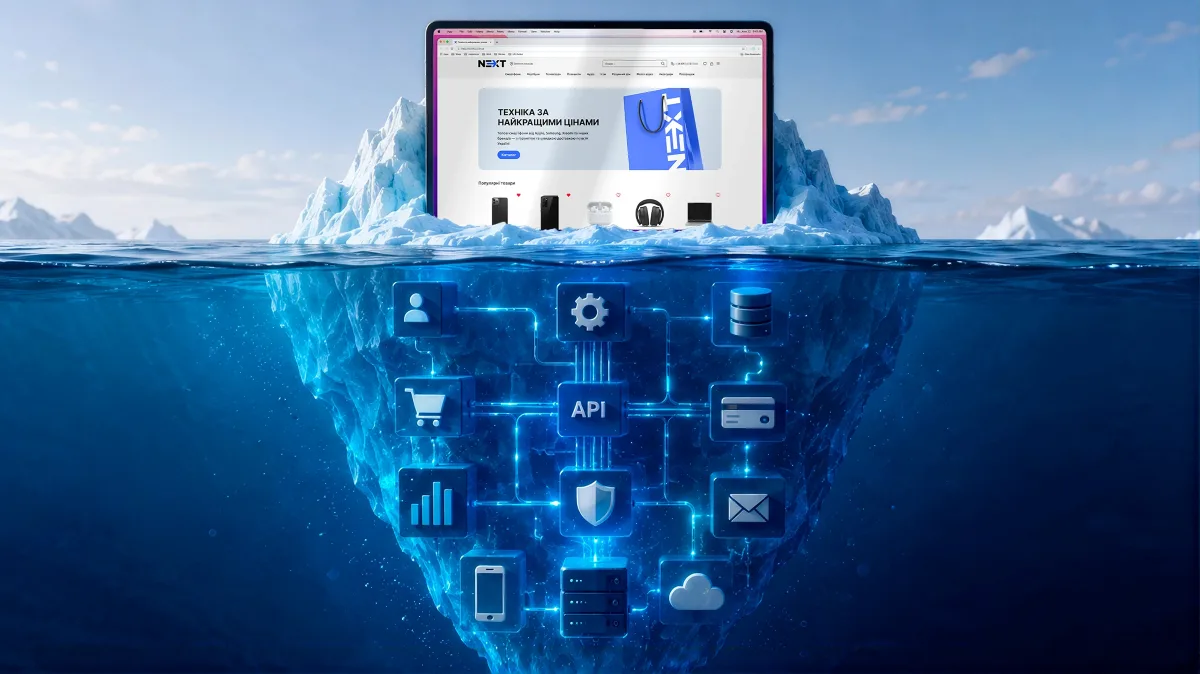
website + CRM + ERP + mobile app + analytics + payment systems + marketing tools + warehouse system.

The user sees only the website.
But behind it dozens of integrations may be working.

That is why web development increasingly intersects with custom software development.

A website can not only display information, but transfer data to CRM, create orders, synchronize products, form requests and launch automated business processes.

Case Biksico: website as a tool for selling a digital product
The Biksico case — development of a service website — clearly demonstrates this approach.

For Biksico an informational landing website was created that presents the service capabilities, tariffs and main product advantages.

The website has separately worked-out blocks with problems of online stores, Biksico capabilities, loyalty and communication tools, functionality of the owner’s mobile app, integrations and tariffs.

This is not just a “about the company” page.
The website actually performs the role of a seller of a digital product.

Trend #6. Landing page becomes a mini-product

A landing page has long ceased to be just a long page with beautiful photos.

A good landing page is a concentrated sales system.

Its tasks:

  1. attract attention;
  2. form interest;
  3. explain the product;
  4. show advantages;
  5. remove objections;
  6. confirm trust;
  7. lead to a request or purchase.

That is why the structure of a landing page should be built around the customer journey.

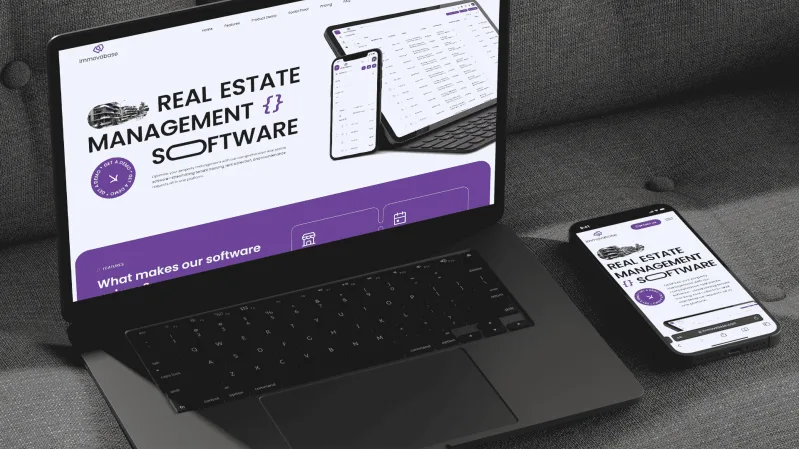
A good example is WST: development of a product landing page.

For this project Webstick Global created a landing page design with an emphasis on key product advantages, functionality, the ability to download a mobile app, manufacturer contacts and a lead form for receiving requests.

That is, the landing page became not just a presentation, but a tool for generating potential clients.

Trend #7. Mobile-first is no longer an option

Most modern digital products need to be designed with a smartphone in mind even before creating the desktop version.

Mobile-first does not simply mean:
“we will make it responsive”.

It means:
first we determine how the user will interact with the product on a small screen.

You need to think through:

  • navigation;
  • button size;
  • information order;
  • forms;
  • search;
  • filters;
  • speed;
  • readability;
  • touch interactions.

This is especially important for e-commerce.
If it is difficult for a user to find a product or place an order from a smartphone, the business loses a sale.

Trend #8. An online store turns into a personalized platform

A modern e-commerce website should no longer be just a catalog.

It can use:

  • personal recommendations;
  • browsing history;
  • personal promotions;
  • loyalty programs;
  • AI search;
  • dynamic categories;
  • related product recommendations;
  • automatic offers;
  • CRM integrations;
  • warehouse synchronization.

Therefore, online store development often requires a much more complex architecture than a regular corporate website.

Trend #9. Headless and API-first approaches

For companies planning to scale, separating frontend and backend becomes important.

API-first architecture allows using one business logic for different channels:

  • website;
  • mobile app;
  • admin panel;
  • partner cabinet;
  • other digital products.

For example, one product catalog can be used simultaneously by the website and the mobile app.

This makes it possible not to create the same logic twice.

Trend #10. Security becomes a basic requirement

A modern website must protect not only the company, but also the user.

Especially if it works with:

  • personal data;
  • payments;
  • accounts;
  • documents;
  • corporate information;
  • orders.

Professional development must take into account:

  • secure authorization;
  • API protection;
  • access control;
  • encryption;
  • backup;
  • monitoring;
  • protection against typical web attacks;
  • secure work with personal data.

Security should not be a separate stage that appears before release.
It should be part of the architecture.

What website do different types of business need?

There is no universal format.

For a startup
A landing page or product website that quickly checks demand may be needed.

For a B2B company
A corporate website, cases, expertise, services and lead generation are important.

For an online store
A catalog, search, filters, cart, payment, CRM and logistics integrations are needed.

For a SaaS company
A product website is required that explains the value of the service, tariffs, functionality and usage scenarios.

For a large business
A web portal with personal cabinets, integrations and a complex data management system may be needed.

That is why proper website development always starts with business analysis.

What is more important: design or technologies?

The correct answer is neither one separately.

A beautiful website with poor architecture will quickly become a problem.
A technologically complex website with unclear UX will not be effective.

Therefore, a professional web product must combine:
strategy + UX + UI + frontend + backend + SEO + analytics + security + integrations.

It is the comprehensive approach that allows creating a website that works not only on the day of launch, but remains the foundation of the company’s digital presence for years.

How Webstick Global approaches website development

Webstick Global creates different types of web products: landing pages, corporate websites, online stores, web portals and CMS websites. The company also works with web applications, SaaS and custom software.

The process may include:
Analysis
Studying the business, audience and competitors.

Strategy
Defining the structure and main user scenarios.

UX/UI
Creating a prototype and visual system.

Development
Frontend, backend, API and integrations.

Testing
Checking functionality, responsiveness, performance and security.

Launch
Publishing the website and connecting the necessary infrastructure.

Support
Further improvement of the product based on data and business needs.

Why cases are important when choosing a developer?

The web development market is overcrowded with companies that offer a “turnkey website”.

But between a simple template website and a full-fledged digital product there can be a huge difference.

That is why before choosing a contractor it is worth looking at real cases.

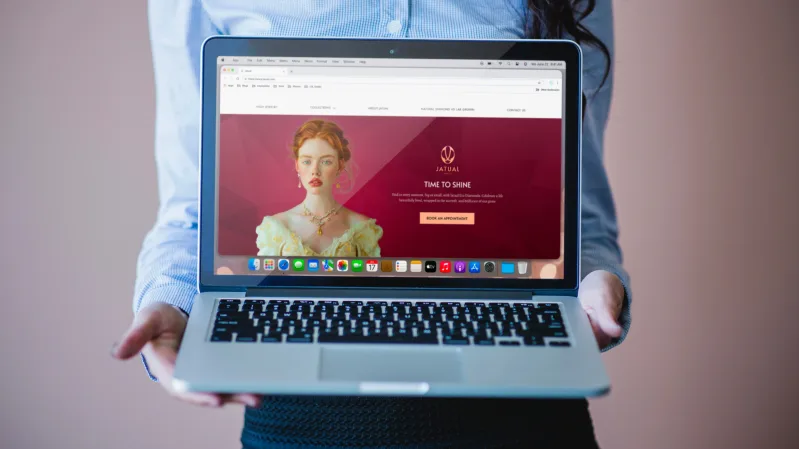
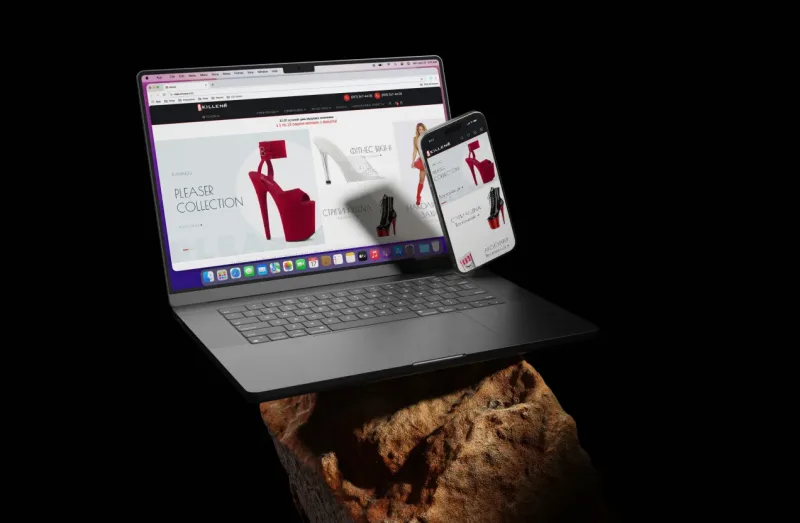
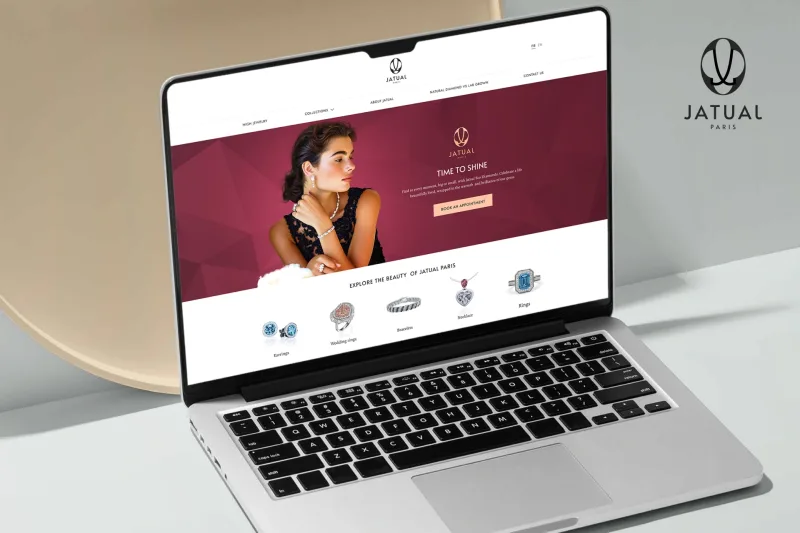
In the portfolio of Webstick Global there are different types of web projects:

These projects show different approaches to web development: from the presentation of a cultural brand to a SaaS product and a commercial landing page.

What will the website of the future be like?

We will probably see even more personalization, AI interfaces and automation.

A website is gradually ceasing to be a static page that a user simply views.

It becomes an environment that:

  • understands context;
  • recommends;
  • answers;
  • personalizes;
  • automates;
  • integrates with other products;
  • works simultaneously in different digital channels.

But this does not mean that every business needs a complex AI website.

On the contrary.
The best digital product is the one where every technology has a specific purpose.

Conclusion

In 2026 a website is no longer just a “company page on the internet”.

It is a digital asset of the business.

It can sell, generate leads, build trust, automate processes, support clients, collect data and be the central point of interaction between the company and its audience.

AI, speed, mobile-first, personalization, security, API integrations and high-quality UX are becoming important components of modern web development.

But the most important thing is not to follow every trend.

It is important to create a website that solves the specific tasks of a specific business.

If a company needs a website, online store, landing page or complex web product, the Webstick Global team can help go through the full path — from concept formation and UX/UI to development, integrations, launch and further development.

You can learn more about website development by Webstick Global and view examples of implemented projects on the company’s website.
Other news

Improving online store conversion with UX/UI design
How to improve the conversion rate of an online store: tips on UX/UI design

Today's e-commerce competition is constantly growing, and customers are becoming more demanding. If your online store isn't generating the sales you expect, it may not be the products or marketing that's the problem, but rather the design and usability of your site. UX/UI design plays a key role in how easy it is for a user to make a purchase. In this article, we're going to look at the main principles that will help you improve your online store's conversion rate with the help of effective UX/UI.


What is conversion and why does UX/UI matter?


Conversion is the percentage of your website visitors who perform a desired action, such as making a purchase, registering, or subscribing to a newsletter. Even the slightest improvement in website usability can have a significant impact on this indicator.

UX (User Experience) is responsible for the overall user experience, and UI (User Interface) is responsible for the visual design of the interface. Together, they create a comfortable, intuitive customer journey from the first click to the completion of the order.


Simple and clear design


Minimalism in design helps users navigate the site faster. Busy pages with a lot of elements can be confusing and distracting for a potential customer.

Use a lot of white space between elements.

Ensure the readability of the text by using simple fonts and contrasting colors.

Avoid using colors that are too bright or aggressive, which can be off-putting.

Example: Amazon uses a simple, functional design that focuses on products and easy navigation.


Fast website loading


Page loading speed is a critical factor for successful UX. Studies show that a delay of even 1 second can reduce conversions by 7%.

Recommendations:

  • Optimize images for fast loading.
  • Use browser caching and CDNs.
  • Minimize the use of third-party scripts.


Mobile adaptation


More than 50% of online purchases are made on smartphones. If your website is not mobile-friendly, you're missing out on a significant portion of potential customers.

How to check:

  • Make sure that the interface elements do not “go beyond” the screen.
  • Optimize buttons: they should be large enough to be pressed with a finger.
  • Use vertical scrolling instead of horizontal scrolling.


Convenient navigation


Navigation should be intuitive. Users should not waste time searching for the right product or information.

Basic principles:

  • Clear and structured menus.
  • Convenient search with tooltips.
  • Add filters and sorting for product categories.

Tip: Use breadcrumb navigation so that users can easily return to the previous page.


Optimization of the product page


The product page is where the customer makes the final decision. It is important to take care of all aspects so that the user does not doubt the choice.

Elements that increase conversion:

  • High-quality product photos with the ability to zoom in.
  • Detailed description of the characteristics.
  • Customer reviews.
  • The “Add to Cart” button should be visible and easily accessible.


Simple checkout process


Research shows that 20% of customers abandon their carts due to a complicated checkout process.

What to do:

  • Keep the number of steps to a minimum.
  • Add an option to checkout without registration.
  • Integrate different payment methods: bank cards, e-wallets, cash on delivery, etc.


Compelling CTAs


A call to action should be clear, understandable, and motivating.

For example:

  • “Buy now” - instead of just “Buy”.
  • “Get a 10% discount” - if there is a promotion.
  • “Add to cart while supplies last”.


Social proof


People trust reviews and recommendations from other users.

What to add to the site:

  • Reviews of real customers with photos.
  • Product rating.
  • The number of orders or product views.


Regular testing and analysis


UX/UI design is a process of continuous improvement. Use analytics to study user behavior.

Tools:

  • Google Analytics for analyzing traffic indicators.
  • Heatmaps to study clicks and mouse movements.
  • A/B testing to compare different design options.


Improving UX/UI design is a long-term investment in the development of your online store. A clear design, fast loading speed, easy navigation, and mobile optimization will not only increase conversions, but also increase trust in your brand.

By applying the tips from this article, you can make your website more attractive to customers and significantly increase sales.

Responsive design for corporate websites
The importance of responsive design for corporate websites

In today's digital world, a corporate website is not just a business card, but one of the key tools for attracting customers, partners, and strengthening brand reputation. One of the most important elements of an effective website is responsive design. In this article, we'll take a look at what responsive design is, why it's important for corporate websites, and how its implementation can affect business success.


What is responsive design?


Responsive design is an approach to website development that ensures correct display and functionality on different devices and screens. From smartphones and tablets to desktop computers, a responsive website automatically adjusts to the size and resolution of the screen.

Basic principles of responsive design:

  • Flexible layout - site elements change their size depending on the width of the screen.
  • Media queries - CSS rules that allow you to set styles for different devices.
  • Responsive images - automatically resize images to preserve quality and ensure fast loading.
  • Content Prioritization - important information is always accessible and understandable.


Why is responsive design important for corporate websites?


Corporate websites are an important part of business, so their effectiveness directly affects the achievement of company goals. Responsive design helps to achieve a number of key benefits:

1. Improved user experience (UX)

Users expect convenient access to information, no matter what device they use. A website that looks good and functions well on any screen delivers:

  • Easy to navigate menus.
  • Clear text and images.
  • No need to zoom or scroll the page.


2. Increase in mobile traffic

According to statistics, more than 50% of users browse websites on their smartphones. If your website is not adapted for mobile devices, you may lose a significant part of your audience.

3. Improve SEO positions

Google and other search engines favor websites with responsive design because they provide a better user experience. This can contribute to:

  • Increased rankings in the search results.
  • Growth of organic traffic.


4. Reduced development and maintenance costs

Instead of creating separate versions of the site for mobile and desktop devices, responsive design allows you to have a single universal platform. This reduces maintenance and upgrade costs.

5. Strengthening brand reputation

A website that looks professional and modern on any device creates a positive impression of the company. This can attract more customers and partners.


How to implement responsive design on a corporate website?


1. Analyze the audience

Before developing a responsive website, it is important to understand which devices your target audience uses most often. This will help you prioritize design and functionality.

2. Use of modern technologies

When creating a responsive website, you should use:

  • HTML5 and CSS3.
  • Media queries for customizing styles.
  • Frameworks such as Bootstrap or Foundation.


3. Image optimization

Use fast-loading image formats (WebP, SVG) and adjust their size for different devices.

4. Testing

Check your website on different screens and browsers to make sure it works correctly.

5. Keep it up to date

Technologies are constantly changing, so it is important to regularly update your website to meet modern requirements.


Benefits of responsive design for business


By investing in responsive design, companies get a number of benefits:

  • Sales growth due to a user-friendly interface.
  • Increased loyalty of customers who return to a convenient resource.
  • Effective attraction of new customers through improved SEO positions.
  • Reducing the cost of creating separate versions of the website.


Responsive design is not a luxury but a necessity for corporate websites in 2025. It provides comfortable access to your resource for users with any device, improves search engine rankings, and helps your business look modern and professional. If you haven't implemented responsive design yet, now is the time to take this step to strengthen your online presence.

Corporate website that reflects company values
How to create a corporate website that reflects your company's values?

Creating a corporate website is not only a technical process, but also an important part of any company's marketing strategy. A company's website is its virtual face and has a direct impact on brand perception. One of the most important aspects of creating a corporate website is ensuring that it reflects your company's values. The trust and interest of your potential customers, partners, and employees will depend on how well you can convey your core principles and mission through your website.

In this article, we'll take a closer look at the steps you need to take to create a corporate website that is not only functional but also reflects your company's core values.


1. Understand your company's values


Before you start creating a website, you need to clearly define what values you want to convey to your audience. These can be the principles of honesty, innovation, customer focus, environmental responsibility, or social activism. Your company values are what you want people to feel and understand when they interact with your brand.

How do you define your company's values?

To understand what values you need to reflect on your website, it is important to

  • Evaluate your company's mission. A clearly stated mission reflects your core principles.
  • Identify the key factors that distinguish your company. What makes your brand unique?
  • Understand the needs of your target audience. What values are important to your customer?

Once you've defined your values, it's time to translate them into the design and structure of your website.


2. Choosing a platform for creating a corporate website


Choosing a CMS (content management system)

The platform you choose to create a corporate website should meet your requirements, both in terms of functionality and the ability to reflect your corporate identity. Popular systems for creating websites include:

  • WordPress: flexible, has a large number of templates and plugins.
  • Joomla: suitable for more complex websites with a lot of features.
  • Drupal: suitable for large projects and high security.
  • Wix or Squarespace: suitable for quick website creation without programming.


How does the choice of platform relate to the company's values?

When choosing a CMS, it is important to think about how your platform can emphasize the company's values. For example, if your company is actively working in the field of ecology, you can choose a platform that allows you to easily implement functionality to represent your environmental responsibility through interactive elements.


3. Site structure and its display


Home page: the first impression

The home page is your first impression. It should immediately give a sense that your company is focused on innovation, reliability, or other important values.

  • Welcome text: a short but clear message that shows the mission and core values.
  • Visual elements: colors, fonts, and images should be consistent with your corporate values. For example, for a company that deals with eco-friendly products, natural colors and textures will be ideal.
  • Multimedia: videos or slides that demonstrate the company's work, its social initiatives, or other aspects that are important to you.


Design of website sections

Each section of your website should support the idea of your mission. It can be:

  • About us: a section where you can tell in detail about your values, team, and culture.
  • Services/Products: here you have the opportunity to show how your offerings meet certain principles.
  • Blog/News: talk about the company's social initiatives, innovations, and important events.


4. Design and visual identity


Website design is very important. The correct use of colors, fonts, images, and other elements helps to create the right impression of the company.

  • Color palette: each color has its own meaning. For example, blue is associated with trust and reliability, green with environmental friendliness, and red with energy and confidence.
  • Typography: the choice of fonts can also emphasize your personality. Fonts should be easy to read and match the overall brand style.
  • Graphics and illustrations: use images that reflect the company's culture or show your products/services in the context of values.


Mobile adaptation

In today's world, it is important that your website is mobile-friendly. This will not only improve the user experience but also increase your search engine rankings.


5. Content that reflects your company's values


Content marketing

Content is a key element in reflecting your company's values. Through text, video, infographics, and other materials, you can show:

  • Success stories. How your company puts its values into practice.
  • Social responsibility. Projects on which you spend part of your profits or initiatives aimed at improving the life of society.
  • Innovation. How your company implements new technologies, develops new products or services.


SEO for organic traffic

To ensure that your website successfully reflects your company's values and attracts organic traffic, you need to consider SEO:

  • Keywords: identify key phrases related to your values and integrate them into your content.
  • Technical SEO: website loading speed, correct URL structure, mobile responsiveness - all of these affect your position in search engines.
  • External links: try to get backlinks from reputable websites, which increases the credibility of your brand.


6. Interactivity and customer feedback


User engagement

Interactive elements help users actively interact with your website. These can be:

  • Surveys and questionnaires. Ask about users' experiences or find out what values are important to them.
  • Customer testimonials: Give your customers the opportunity to share experiences that emphasize your values.


Testimonials as part of your reputation

Positive reviews and real customer stories are a powerful tool for demonstrating your values. They help to create an impression on new users and increase trust in your company.


Creating a corporate website is an important stage in the development of your company. It is important that the site reflects the values and mission of your business, as it is the first place where potential customers get to know your company. Taking into account all aspects - from design to content to SEO - will allow you to create a resource that not only attracts traffic but also increases the trust and loyalty of your audience.

Ensure that your website doesn't just talk about your company, but truly reflects its values, becoming a powerful tool for growing your business.

Corporate website that reflects company values
How to create a corporate website that reflects your company's values?

Creating a corporate website is not only a technical process, but also an important part of any company's marketing strategy. A company's website is its virtual face and has a direct impact on brand perception. One of the most important aspects of creating a corporate website is ensuring that it reflects your company's values. The trust and interest of your potential customers, partners, and employees will depend on how well you can convey your core principles and mission through your website.

In this article, we'll take a closer look at the steps you need to take to create a corporate website that is not only functional but also reflects your company's core values.


1. Understand your company's values


Before you start creating a website, you need to clearly define what values you want to convey to your audience. These can be the principles of honesty, innovation, customer focus, environmental responsibility, or social activism. Your company values are what you want people to feel and understand when they interact with your brand.

How do you define your company's values?

To understand what values you need to reflect on your website, it is important to

  • Evaluate your company's mission. A clearly stated mission reflects your core principles.
  • Identify the key factors that distinguish your company. What makes your brand unique?
  • Understand the needs of your target audience. What values are important to your customer?

Once you've defined your values, it's time to translate them into the design and structure of your website.


2. Choosing a platform for creating a corporate website


Choosing a CMS (content management system)

The platform you choose to create a corporate website should meet your requirements, both in terms of functionality and the ability to reflect your corporate identity. Popular systems for creating websites include:

  • WordPress: flexible, has a large number of templates and plugins.
  • Joomla: suitable for more complex websites with a lot of features.
  • Drupal: suitable for large projects and high security.
  • Wix or Squarespace: suitable for quick website creation without programming.


How does the choice of platform relate to the company's values?

When choosing a CMS, it is important to think about how your platform can emphasize the company's values. For example, if your company is actively working in the field of ecology, you can choose a platform that allows you to easily implement functionality to represent your environmental responsibility through interactive elements.


3. Site structure and its display


Home page: the first impression

The home page is your first impression. It should immediately give a sense that your company is focused on innovation, reliability, or other important values.

  • Welcome text: a short but clear message that shows the mission and core values.
  • Visual elements: colors, fonts, and images should be consistent with your corporate values. For example, for a company that deals with eco-friendly products, natural colors and textures will be ideal.
  • Multimedia: videos or slides that demonstrate the company's work, its social initiatives, or other aspects that are important to you.


Design of website sections

Each section of your website should support the idea of your mission. It can be:

  • About us: a section where you can tell in detail about your values, team, and culture.
  • Services/Products: here you have the opportunity to show how your offerings meet certain principles.
  • Blog/News: talk about the company's social initiatives, innovations, and important events.


4. Design and visual identity


Website design is very important. The correct use of colors, fonts, images, and other elements helps to create the right impression of the company.

  • Color palette: each color has its own meaning. For example, blue is associated with trust and reliability, green with environmental friendliness, and red with energy and confidence.
  • Typography: the choice of fonts can also emphasize your personality. Fonts should be easy to read and match the overall brand style.
  • Graphics and illustrations: use images that reflect the company's culture or show your products/services in the context of values.


Mobile adaptation

In today's world, it is important that your website is mobile-friendly. This will not only improve the user experience but also increase your search engine rankings.


5. Content that reflects your company's values


Content marketing

Content is a key element in reflecting your company's values. Through text, video, infographics, and other materials, you can show:

  • Success stories. How your company puts its values into practice.
  • Social responsibility. Projects on which you spend part of your profits or initiatives aimed at improving the life of society.
  • Innovation. How your company implements new technologies, develops new products or services.


SEO for organic traffic

To ensure that your website successfully reflects your company's values and attracts organic traffic, you need to consider SEO:

  • Keywords: identify key phrases related to your values and integrate them into your content.
  • Technical SEO: website loading speed, correct URL structure, mobile responsiveness - all of these affect your position in search engines.
  • External links: try to get backlinks from reputable websites, which increases the credibility of your brand.


6. Interactivity and customer feedback


User engagement

Interactive elements help users actively interact with your website. These can be:

  • Surveys and questionnaires. Ask about users' experiences or find out what values are important to them.
  • Customer testimonials: Give your customers the opportunity to share experiences that emphasize your values.


Testimonials as part of your reputation

Positive reviews and real customer stories are a powerful tool for demonstrating your values. They help to create an impression on new users and increase trust in your company.


Creating a corporate website is an important stage in the development of your company. It is important that the site reflects the values and mission of your business, as it is the first place where potential customers get to know your company. Taking into account all aspects - from design to content to SEO - will allow you to create a resource that not only attracts traffic but also increases the trust and loyalty of your audience.

Ensure that your website doesn't just talk about your company, but truly reflects its values, becoming a powerful tool for growing your business.

Responsive design for corporate websites
The importance of responsive design for corporate websites

In today's digital world, a corporate website is not just a business card, but one of the key tools for attracting customers, partners, and strengthening brand reputation. One of the most important elements of an effective website is responsive design. In this article, we'll take a look at what responsive design is, why it's important for corporate websites, and how its implementation can affect business success.


What is responsive design?


Responsive design is an approach to website development that ensures correct display and functionality on different devices and screens. From smartphones and tablets to desktop computers, a responsive website automatically adjusts to the size and resolution of the screen.

Basic principles of responsive design:

  • Flexible layout - site elements change their size depending on the width of the screen.
  • Media queries - CSS rules that allow you to set styles for different devices.
  • Responsive images - automatically resize images to preserve quality and ensure fast loading.
  • Content Prioritization - important information is always accessible and understandable.


Why is responsive design important for corporate websites?


Corporate websites are an important part of business, so their effectiveness directly affects the achievement of company goals. Responsive design helps to achieve a number of key benefits:

1. Improved user experience (UX)

Users expect convenient access to information, no matter what device they use. A website that looks good and functions well on any screen delivers:

  • Easy to navigate menus.
  • Clear text and images.
  • No need to zoom or scroll the page.


2. Increase in mobile traffic

According to statistics, more than 50% of users browse websites on their smartphones. If your website is not adapted for mobile devices, you may lose a significant part of your audience.

3. Improve SEO positions

Google and other search engines favor websites with responsive design because they provide a better user experience. This can contribute to:

  • Increased rankings in the search results.
  • Growth of organic traffic.


4. Reduced development and maintenance costs

Instead of creating separate versions of the site for mobile and desktop devices, responsive design allows you to have a single universal platform. This reduces maintenance and upgrade costs.

5. Strengthening brand reputation

A website that looks professional and modern on any device creates a positive impression of the company. This can attract more customers and partners.


How to implement responsive design on a corporate website?


1. Analyze the audience

Before developing a responsive website, it is important to understand which devices your target audience uses most often. This will help you prioritize design and functionality.

2. Use of modern technologies

When creating a responsive website, you should use:

  • HTML5 and CSS3.
  • Media queries for customizing styles.
  • Frameworks such as Bootstrap or Foundation.


3. Image optimization

Use fast-loading image formats (WebP, SVG) and adjust their size for different devices.

4. Testing

Check your website on different screens and browsers to make sure it works correctly.

5. Keep it up to date

Technologies are constantly changing, so it is important to regularly update your website to meet modern requirements.


Benefits of responsive design for business


By investing in responsive design, companies get a number of benefits:

  • Sales growth due to a user-friendly interface.
  • Increased loyalty of customers who return to a convenient resource.
  • Effective attraction of new customers through improved SEO positions.
  • Reducing the cost of creating separate versions of the website.


Responsive design is not a luxury but a necessity for corporate websites in 2025. It provides comfortable access to your resource for users with any device, improves search engine rankings, and helps your business look modern and professional. If you haven't implemented responsive design yet, now is the time to take this step to strengthen your online presence.

Improving online store conversion with UX/UI design
How to improve the conversion rate of an online store: tips on UX/UI design

Today's e-commerce competition is constantly growing, and customers are becoming more demanding. If your online store isn't generating the sales you expect, it may not be the products or marketing that's the problem, but rather the design and usability of your site. UX/UI design plays a key role in how easy it is for a user to make a purchase. In this article, we're going to look at the main principles that will help you improve your online store's conversion rate with the help of effective UX/UI.


What is conversion and why does UX/UI matter?


Conversion is the percentage of your website visitors who perform a desired action, such as making a purchase, registering, or subscribing to a newsletter. Even the slightest improvement in website usability can have a significant impact on this indicator.

UX (User Experience) is responsible for the overall user experience, and UI (User Interface) is responsible for the visual design of the interface. Together, they create a comfortable, intuitive customer journey from the first click to the completion of the order.


Simple and clear design


Minimalism in design helps users navigate the site faster. Busy pages with a lot of elements can be confusing and distracting for a potential customer.

Use a lot of white space between elements.

Ensure the readability of the text by using simple fonts and contrasting colors.

Avoid using colors that are too bright or aggressive, which can be off-putting.

Example: Amazon uses a simple, functional design that focuses on products and easy navigation.


Fast website loading


Page loading speed is a critical factor for successful UX. Studies show that a delay of even 1 second can reduce conversions by 7%.

Recommendations:

  • Optimize images for fast loading.
  • Use browser caching and CDNs.
  • Minimize the use of third-party scripts.


Mobile adaptation


More than 50% of online purchases are made on smartphones. If your website is not mobile-friendly, you're missing out on a significant portion of potential customers.

How to check:

  • Make sure that the interface elements do not “go beyond” the screen.
  • Optimize buttons: they should be large enough to be pressed with a finger.
  • Use vertical scrolling instead of horizontal scrolling.


Convenient navigation


Navigation should be intuitive. Users should not waste time searching for the right product or information.

Basic principles:

  • Clear and structured menus.
  • Convenient search with tooltips.
  • Add filters and sorting for product categories.

Tip: Use breadcrumb navigation so that users can easily return to the previous page.


Optimization of the product page


The product page is where the customer makes the final decision. It is important to take care of all aspects so that the user does not doubt the choice.

Elements that increase conversion:

  • High-quality product photos with the ability to zoom in.
  • Detailed description of the characteristics.
  • Customer reviews.
  • The “Add to Cart” button should be visible and easily accessible.


Simple checkout process


Research shows that 20% of customers abandon their carts due to a complicated checkout process.

What to do:

  • Keep the number of steps to a minimum.
  • Add an option to checkout without registration.
  • Integrate different payment methods: bank cards, e-wallets, cash on delivery, etc.


Compelling CTAs


A call to action should be clear, understandable, and motivating.

For example:

  • “Buy now” - instead of just “Buy”.
  • “Get a 10% discount” - if there is a promotion.
  • “Add to cart while supplies last”.


Social proof


People trust reviews and recommendations from other users.

What to add to the site:

  • Reviews of real customers with photos.
  • Product rating.
  • The number of orders or product views.


Regular testing and analysis


UX/UI design is a process of continuous improvement. Use analytics to study user behavior.

Tools:

  • Google Analytics for analyzing traffic indicators.
  • Heatmaps to study clicks and mouse movements.
  • A/B testing to compare different design options.


Improving UX/UI design is a long-term investment in the development of your online store. A clear design, fast loading speed, easy navigation, and mobile optimization will not only increase conversions, but also increase trust in your brand.

By applying the tips from this article, you can make your website more attractive to customers and significantly increase sales.

This site uses cookies to make your experience more comfortable. By continuing to browse the site, you agree to the use of cookies